Admin guide · Infrastructure
Runtime health
Whether your runners are reporting, how busy they are, and which one stopped answering - over the last 7, 14 or 30 days.
| Where | Settings › Infrastructure › Runtime health |
|---|---|
| Who | An admin, or anyone whose role may enrol runners |
| Plans | Every plan |
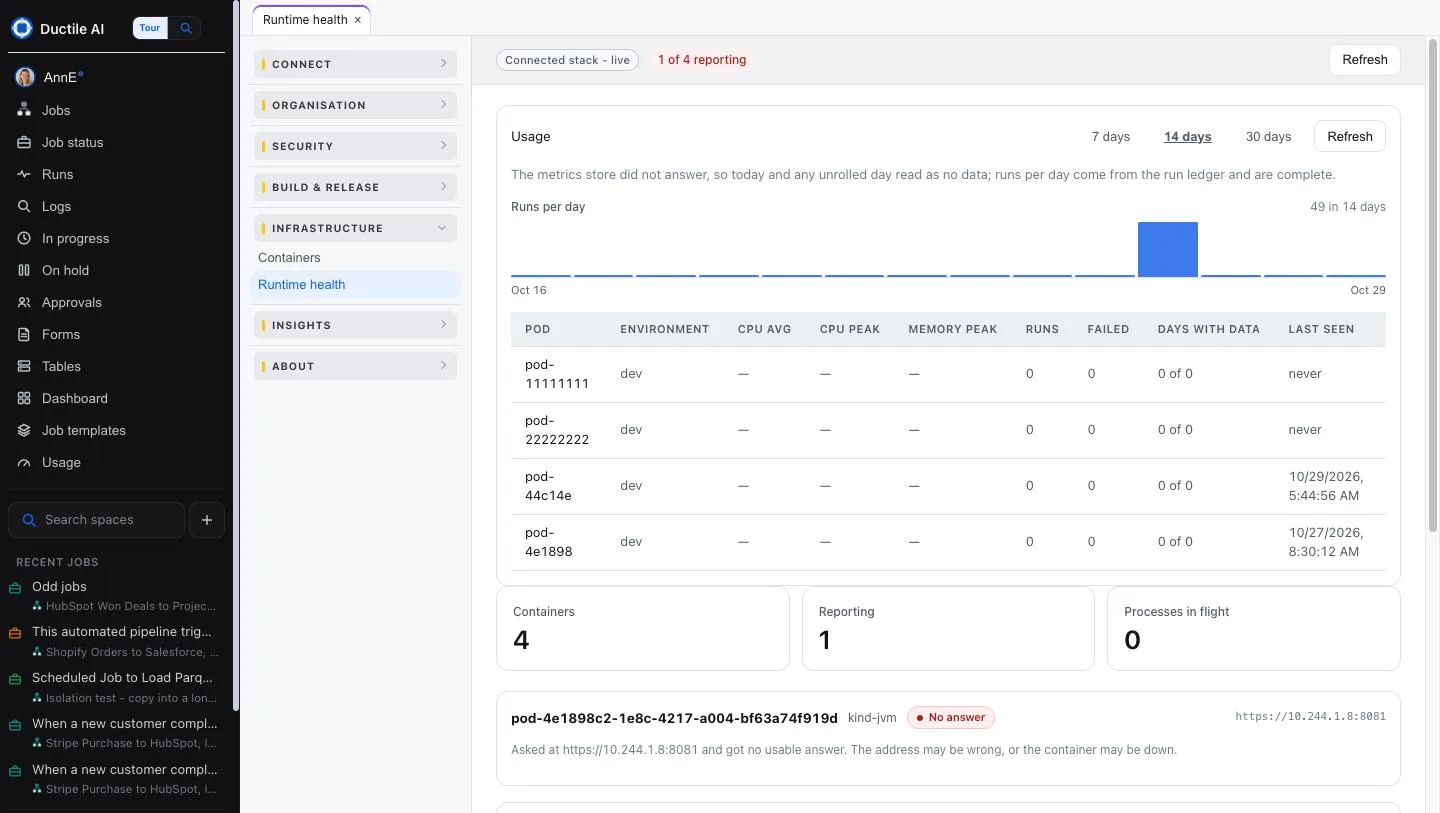
Usage
Choose 7 days, 14 days or 30 days. Runs per day across the period, then a row per container: CPU avg, CPU peak, Memory peak, Runs, Failed, Days with data and Last seen.
Right now
Three counts - Containers, Reporting and Processes in flight - and a card per container with what it last said. "No answer" means the console asked and got nothing usable: the address may be wrong, or the container may be down. Press Refresh to ask again.
To add, update or check a runner, go to Your own runners.
Last updated October 29, 2026