Admin guide · AI
AI gateway and your own model
Bring your own AI model - any vendor, your key - and choose what AnnE uses for each part of her work. AnnE's work on your own model uses none of your plan's AnnE builds or AI allowance: your vendor bills you directly.
| Where | Settings › Insights › AI gateway |
|---|---|
| Who | An admin, or anyone whose role may configure AI |
| Plans | Every plan, Free included |
Add your model
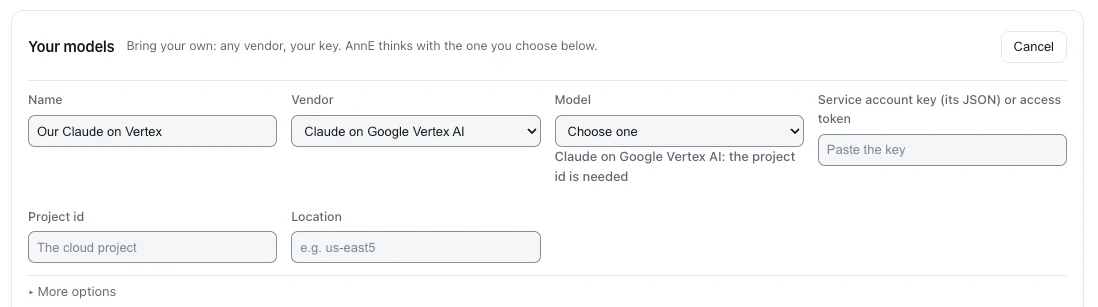
- Under Your models, press Add model.
- Name it - a short name you will choose it by, such as
vertex-opus. - Choose the Vendor: Anthropic, Claude on Google Vertex AI, Google Vertex AI (Gemini), Amazon Bedrock, Microsoft Azure AI Foundry or an OpenAI-compatible service.
- Choose the Model, and fill in what the vendor needs. For Google Vertex AI: the Project id and the Location (for example
us-east5). - Paste the key. For Google it is the Service account key (its JSON) or access token; for the others, the API key. It is sealed and never shown again.
- Optional, under More options: the price in and out per million tokens, so the spend table shows your cost.
- Press Save model, then Check on its row: the console makes one call and says whether the model answered.
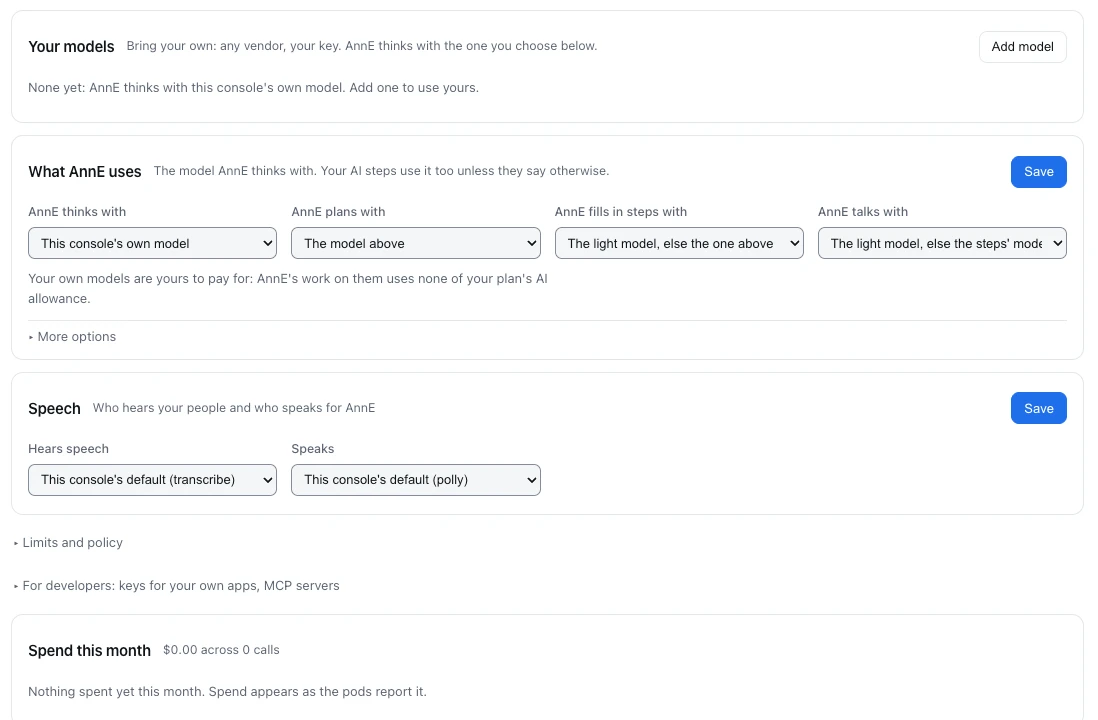
Choose what AnnE uses
Under What AnnE uses, each part of her work has its own choice. Empty means the next one down, so naming only the first puts everything on your model.
| Choice | What it does | When empty |
|---|---|---|
| AnnE thinks with | Your default model; your jobs' AI steps use it too unless a step names another | This console's own model |
| AnnE plans with | Reading the request and planning the job: your strongest model | The model above |
| AnnE fills in steps with | Settings, formulas and field mapping for each step: a faster, cheaper model | The light model, else the one above |
| AnnE talks with | The quick back-and-forth while she works: your fastest model | The light model, else the steps' model |
Press Save. Under More options are the Light model (for small, frequent calls) and If it does not answer, use (another of your models for your jobs' AI steps).
Limits and policy
Your own limits, on your own model or ours: Budget a month ($), Budget a month, each job ($), Tokens a day, Tokens per call, Reuse an identical answer for (seconds), Take identifiers out before text leaves, Vendors allowed and Tools refused.
Spend this month
Every model and tool with its calls, refusals, tokens and spend, so you see what each part of the work costs and where a cheaper model would do.
What reaches a model. Names, settings and the shape of your data. Your records' values and your sign-ins never reach any model, ours or yours. What was sent is kept: see AI transcripts.
Last updated October 29, 2026