Pro and Team guide · Environments
Development and Production
On Pro Team and Business every job lives in two environments: Development, where you build and try things, and Production, where it runs for real. The same process, with each environment's own credentials and values.
| Where | The environment row at the foot of the sidebar |
|---|---|
| Who | Everyone in the organisation |
| Plans | Pro Team and Business: Development and Production; Enterprise: Development, Test and Production |
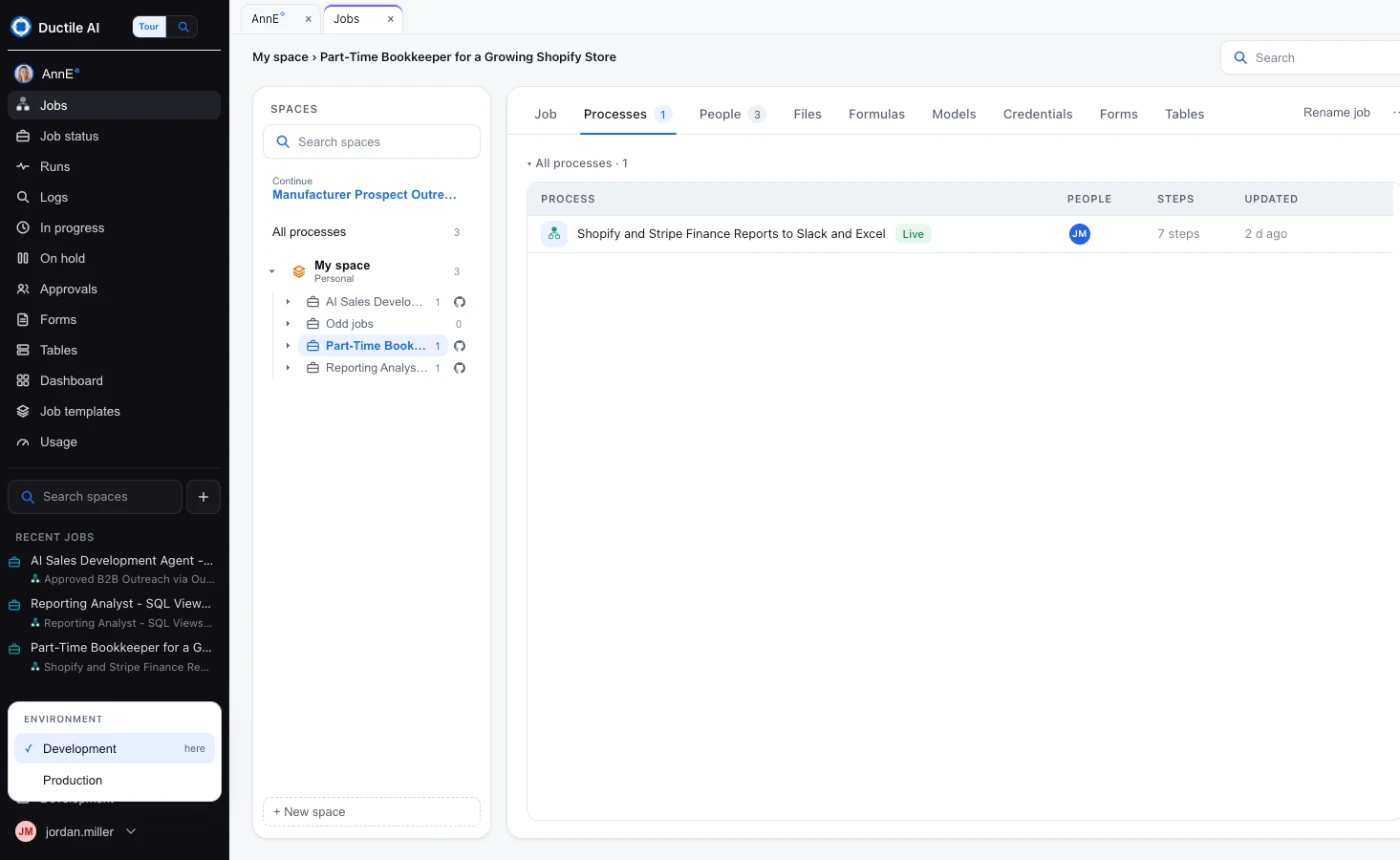
The console is in one environment
Choosing Development or Production at the foot of the sidebar puts the whole console there: Runs, Logs, schedules, webhooks and forms show that environment's. Building happens in Development; Production changes only when a job is promoted.
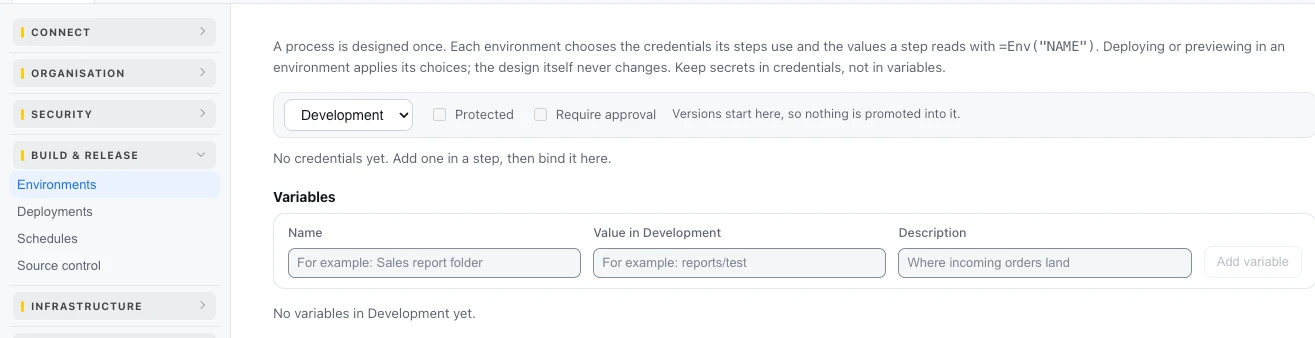
Each environment's own credentials and values
A process is designed once. In Settings › Build & release › Environments, each environment binds the credentials its steps use and the values a step reads with =Env("NAME") - a test mailbox in Development, the real one in Production. Mark Production Protected, or Require approval, so nothing reaches it without a person's yes.
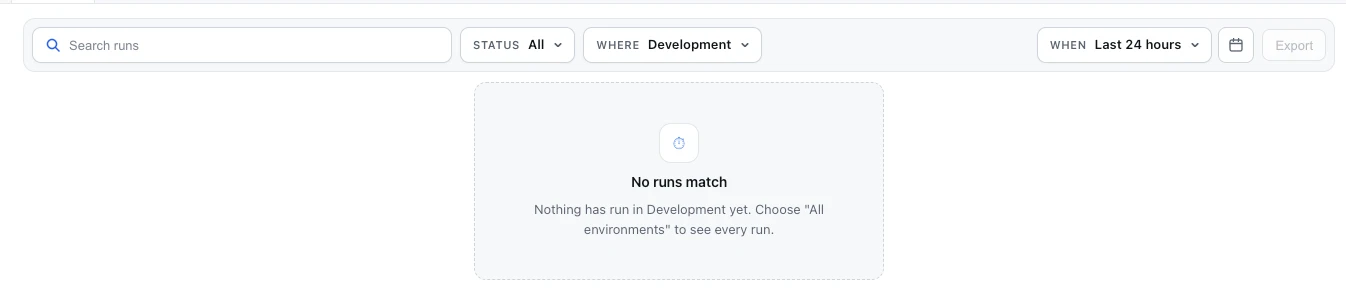
Runs per environment
Runs filters by Where: the environment the console is in, or All environments.
Last updated October 29, 2026