Free plan guide · AI
Bring your own model
Bring your own AI model - any vendor, your key - and AnnE builds on it with no limit from us: her work on your model uses none of your plan's AnnE builds, and your vendor bills you directly. On Free too.
| Where | Settings › Insights › AI gateway |
|---|---|
| Who | Every Free user, and an admin on any plan |
| Plans | Every plan, Free included |
Add your model
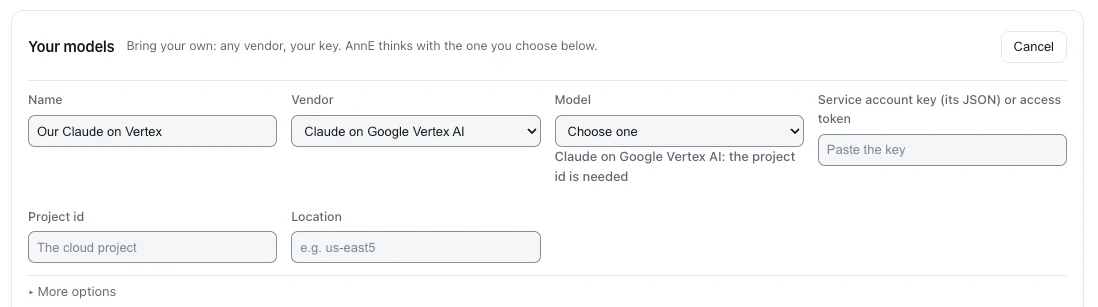
- Under Your models, press Add model.
- Name it - the name you will choose it by.
- Choose the Vendor: Anthropic, OpenAI, Google Gemini, Claude on Google Vertex AI, Google Vertex AI, Amazon Bedrock, Claude on Amazon Bedrock, Microsoft Foundry, Claude in Microsoft Foundry, DeepSeek, Mistral, Groq, xAI Grok, Moonshot Kimi, Alibaba Qwen, Zhipu GLM, or any OpenAI-compatible host.
- Choose the Model and fill in what the vendor needs. For Claude on Google Vertex AI: the Project id and the Location (for example
us-east5). - Paste the key - for Google, the Service account key (its JSON) or access token. It is sealed and never shown again.
- Press Save model, then Check on its row: the console makes one call and says whether the model answered.
Choose what AnnE uses
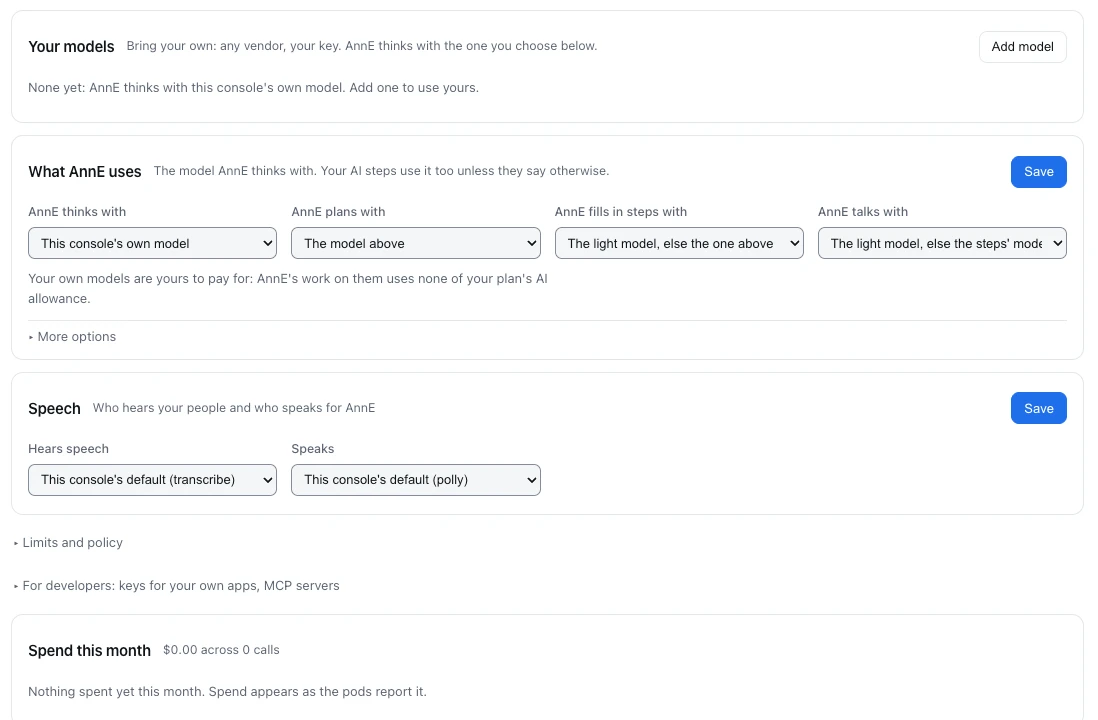
Under What AnnE uses, set AnnE thinks with to your model and press Save. Each part of her work can have its own: AnnE plans with (your strongest), AnnE fills in steps with (a faster, cheaper one), AnnE talks with (your fastest). Empty means the one above.
Your key stays yours. On a Ductile AI runtime a model call always carries the key you gave; it never borrows ours. What reaches a model is names, settings and the shape of your data - never your records' values or your sign-ins.
Last updated October 29, 2026