Pro and Team guide · CI/CD
From Development to Production with GitHub
A job moves from Development to Production by a pull request in its GitHub repository. Merging it runs a GitHub Action that promotes the job: reviewed, recorded, and the same every time.
| Where | Settings › Build & release › Source control |
|---|---|
| Who | An admin, or anyone whose role may manage source control |
| Plans | Team and above |
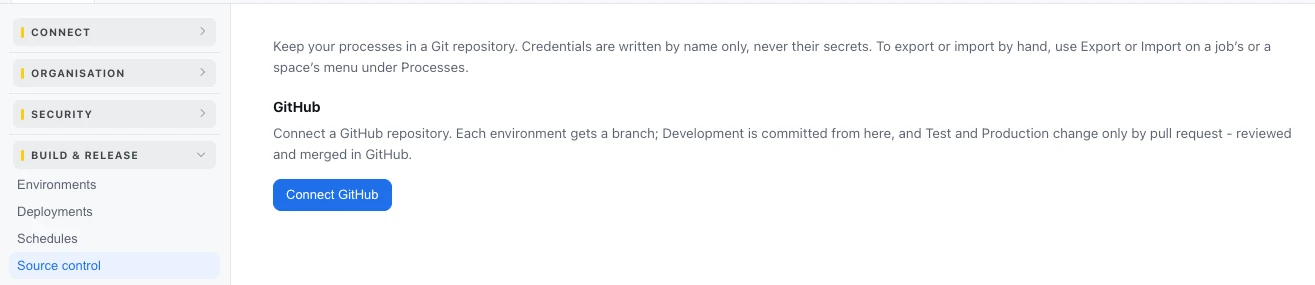
Connect GitHub
- Press Connect GitHub and install the Ductile AI GitHub app on your GitHub organisation or account, choosing the repositories it may use.
- Choose the Repository, and a Folder (optional) if it holds other code too, then press Connect repository.
The repository gets a branch for each environment - main is Development, prod is Production, uat is Test (used on Enterprise) - and the workflow that promotes, .github/workflows/promote.yml, which runs when a pull request is merged into uat or prod.
How a job moves
- Build in Development. Change the job in the console; Commit Development writes its processes to the Development branch - each process a
.bpfile, andcredentials.jsonnaming the credentials it needs. - Open the pull request. Promote to Production (pull request) opens one from Development to Production. Your team reviews the change in GitHub like any code: required reviewers and branch protection apply.
- Merge. Merging into the Production branch runs the promote workflow.
- The Action proves who it is. It presents a GitHub OIDC token - nothing is stored in GitHub, no key, no secret - and the console checks that it comes from your repository and names the Production branch.
- The console promotes. It reads the job at exactly the merged commit and sets Production's processes from it. Each credential named in
credentials.jsonis bound to Production's own credential of that name; secrets never travel through Git. - On record. The run of the Action, the commit and the promotion are recorded; Production's runs start from the new version.
| Button | What it does |
|---|---|
| Commit Development | Commits the Development environment's processes to its branch |
| Promote to Production (pull request) | Opens a pull request from Development to Production |
| Promote to Test (pull request) | On Enterprise: Development to Test first, then Test to Production |
| Promote on merge | Deploys an environment when its pull request is merged |
| Disconnect | Stops using the repository; what is in GitHub stays |
A job of its own. Promotion is per job: a job promotes from its own repository. A job kept in a shared folder with others is given its own repository first, so one merge never carries another job.
Last updated October 29, 2026