Admin guide · Infrastructure
Your own runners
Run jobs inside your own network, next to the databases, file shares and systems behind your firewall. A runner connects out to the console over an encrypted connection; nothing has to reach into your network.
| Where | Settings › Infrastructure › Containers |
|---|---|
| Who | An admin, or anyone whose role may enrol runners |
| Plans | On-premise runners: an add-on on Team, one cluster included on Business, included on Enterprise |
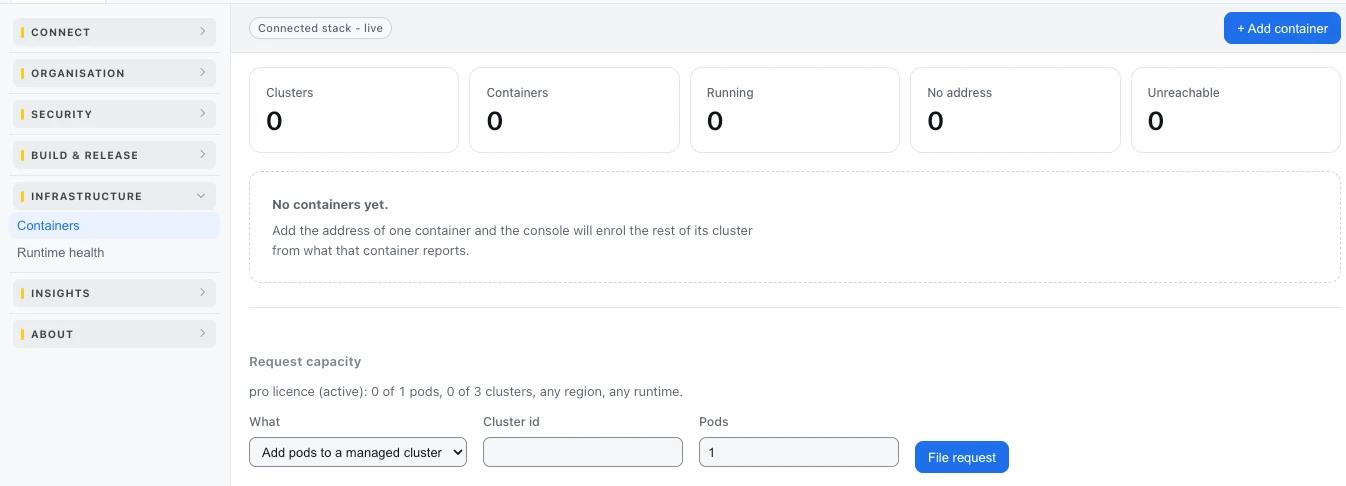
Register your own runners
- Press + Add container and name the cluster for the environment it serves. The cluster comes first, so a bootstrap token can be issued for it.
- On the cluster's card, press New bootstrap token, and copy it.
- Press Install script and run it on the machine that will host the runner, with the token. The runner enrols with its own key and connects out to the console.
- The container appears in the cluster's table. Status turns to online when it answers; Deploy target says whether jobs may run there.
- Press Doctor on a container to check it end to end.
Read the cluster cards
| Column | What it says |
|---|---|
| Container | The runner's name |
| Status | Online, offline, or no answer |
| Address | Where the console reaches it, or "over the hub" when it calls out |
| Discovered | How the console found it |
| Last seen | Its last heartbeat |
| Deploy target | Whether jobs may be deployed to it |
| Doctor | A check of the container end to end |
Keep them up to date
When a container is behind the newest version, its card says so - "run the install script again to update". Run it again on that machine; Re-scan refreshes the card. Containers are moved to a new version one at a time.
How healthy each runner is, over days: Runtime health.
Last updated October 29, 2026